Living with Claude Code: A Developer's Notebook

I've been writing code professionally for a few years now. In that time, the way I work has changed more dramatically than I ever expected. Not because I learned a new language or switched frameworks, but because the tools around me quietly became intelligent. This is a notebook of that experience. Not a tutorial. Not a best-practices listicle. Just what it's actually like to go from copy-pasting ChatGPT responses into my editor to having an AI agent that lives in my terminal and knows my codebase better than I do some mornings.
The timeline, roughly
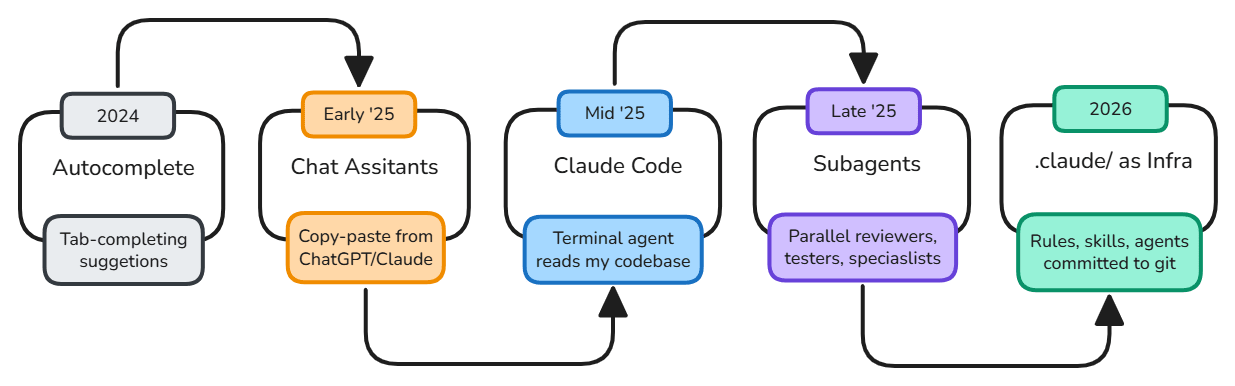
2024 - I was using Copilot for autocomplete. Tab, tab, tab. It saved keystrokes but didn't change how I thought about problems.
Early 2025 - I started using Claude in the browser for debugging and brainstorming. I'd paste code in, ask questions, copy answers back. It was useful but clunky, a conversation with no memory.
Mid 2025 - I tried Claude Code for the first time. Ran it from my terminal. It read my project files, understood imports, knew my package.json. The first time it ran a fix and the tests passed without me touching my editor, something clicked. This wasn't autocomplete anymore.
Late 2025 - I discovered subagents. I could spin up a reviewer agent to check my code while a test-writer agent added coverage in parallel. The idea that I could delegate within a coding session felt genuinely new.
2026 - The
.claude/folder became infrastructure. I started treatingCLAUDE.mdlike I treattsconfig.json, project config that gets committed, reviewed, and evolved. My rules, commands, skills, and agents all live in version control now. When a new teammate joins, they get my AI setup for free.
How I actually set up my projects
Every project I work on now starts the same way. Before I write a line of application code, I set up the .claude/ directory. It takes about ten minutes and saves hours over the life of the project.
CLAUDE.md, the one file that matters most
This is where I tell Claude who it's working with. My stack, my conventions, the commands to build and test, the things I care about. I keep it short, under 100 lines. The moment it gets long, Claude starts ignoring parts of it.
# Project: my-saas-app

## Stack
- Next.js 15 + TypeScript strict
- Tailwind CSS + shadcn/ui
- Prisma + PostgreSQL
- pnpm (not npm, not yarn)

## Conventions
- Server components by default, "use client" only when needed
- Zod for all validation, never trust raw input
- Co-locate tests: Button.tsx and Button.test.tsx

## Commands
- Dev: pnpm dev
- Test: pnpm test
- Lint: pnpm lint
- Build: pnpm build
That's it. No essays. No philosophy. Just the facts Claude needs to generate code that fits my project.
Commands I actually use
I have three slash commands I reach for constantly:
/project:review, reviews the current git diff for logic errors, security issues, and missing tests/project:plan, takes a feature description and produces a step-by-step implementation plan before writing any code/project:refactor, analyzes a file for complexity, duplication, and improvement opportunities Each one is a markdown file in.claude/commands/. They're just prompts with structure, nothing fancy, but having them ready means I never have to retype the same instructions.
Agents for different hats
I keep two agents in .claude/agents/: code-reviewer is a read-only agent (tools: Read, Grep, Glob) that reviews code like a senior engineer. It can't edit anything, only report. I use it after I've written something to get a second opinion before pushing. test-writer is focused on generating test files. It knows my testing conventions (vitest, testing-library) and creates co-located test files that follow the patterns already in my codebase. The key insight: agents with fewer tools often produce better results. A reviewer that can't edit code gives more honest feedback.
Rules for things I always forget
The .claude/rules/ folder is where I put the stuff I know I'll forget to mention:
api-conventions, always use try/catch in API routes, always return typed responses
git, conventional commits, never commit directly to main These load automatically. I don't have to remember to mention them.
The things nobody tells you
Context management is the actual skill. The code Claude writes degrades as the context window fills up. I've learned to
/clearaggressively between unrelated tasks. One clean prompt with good context beats a long conversation every time.Start a fresh session for execution. My best workflow: spend one session planning (have Claude interview me about the feature, write a spec), then
/clearand start a new session to implement it. The implementation session has clean context and a written spec to follow.CLAUDE.md has diminishing returns. There's a sweet spot around 60 to 100 lines. Beyond that, Claude starts dropping instructions. If I'm tempted to add more, I move it to a rule file or a skill instead.
Let Claude read before it writes. When I ask Claude to modify a file, I've started saying "read the file first, understand the patterns, then make the change." The results are noticeably better than "add X to Y."
Where this is all going
I think about this a lot. Two years ago, I was a developer who used AI as a search engine with better formatting. Now I'm a developer who works alongside agents that understand my project, follow my conventions, and catch mistakes I'd have found in code review, or worse, in production.
The weird part is that this hasn't made me a worse programmer. It's made me a more deliberate one. I spend more time thinking about what to build and why, because the how has gotten dramatically faster. I write better specs because I know a good spec leads to better generated code. I think more carefully about architecture because I know Claude will faithfully implement whatever structure I describe, good or bad.
There's something quietly profound about that shift. The bottleneck in software has always been translating intent into implementation. For the first time, that bottleneck is loosening. Not disappearing, I still review every line, still think through edge cases, still make the hard design calls. But the distance between having an idea and seeing it run has never been shorter.
I don't know exactly where this goes. Nobody does. But I know that the developers who will thrive are the ones who stay curious about it, who treat these tools not as threats or shortcuts, but as instruments that reward the same skills that have always mattered: clarity of thought, attention to detail, and the discipline to build things right.
The code is changing. The craft isn't.
Resources
Here are the repos and docs that shaped how I think about Claude Code
Official
Overview - Claude Code DocsClaude Code is an agentic coding tool that reads your codebase, edits files, runs commands, and integrates with your development tools. Available in your terminal, IDE, desktop app, and browser. GitHub - anthropics/claude-code-actionContribute to anthropics/claude-code-action development by creating an account on GitHub.
Community
GitHub - hesreallyhim/awesome-claude-code: A hand-picked collection of the finest of resources for the most awesome of agents, Claude Code, the undisputed champion of coding companions, from the unstoppable team at Anthropic PBC. A delectable showcase of top tier skills, ambidextrous agents, scintillating status lines, top notch developer tooling, and also we have pluginsA hand-picked collection of the finest of resources for the most awesome of agents, Claude Code, the undisputed champion of coding companions, from the unstoppable team at Anthropic PBC. A delectab...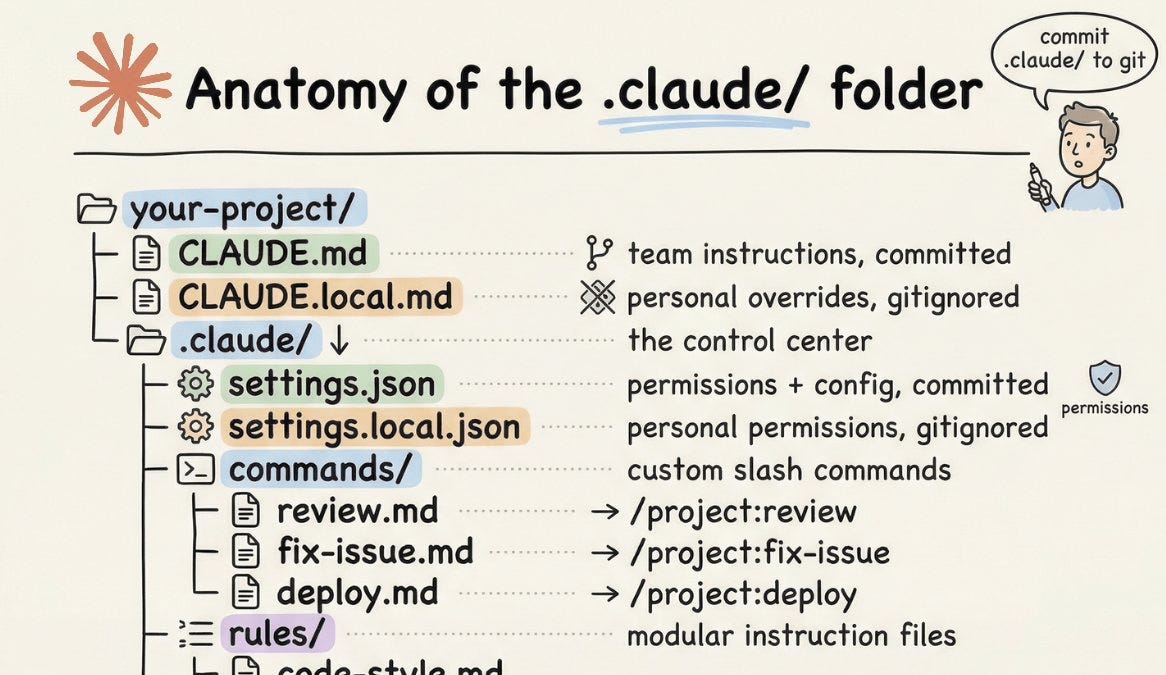
Learning
Writing a good CLAUDE.md`CLAUDE.md` is a high-leverage configuration point for Claude Code. Learning how to write a good `CLAUDE.md` (or `AGENTS.md`) is a key skill for agent-enabled software engineering.